
Press kit: one-liners, boilerplate and visual assets
For journalists, editors, reviewers and directory editors: product facts, copy and images are ready to use without another email.
Product facts
- Name
- SlideTalk (Chinese name PPT讲解员)
- Category
- PPT to video · AI video generation · creator tools
- Platforms
- Mac (macOS 15.1+), iPhone / iPad (iOS 17+) — one universal app
- Storefronts
- App Store: worldwide
- Pricing
- Download, rendering and export free; AI generation metered in credits, 600 welcome credits
- Website & download
- https://www.slidetalk.online · App Store id6800015747
Boilerplate (copy-ready)
SlideTalk is an Apple-native app that turns a PowerPoint deck into a narrated, subtitled video and generates the cover, title and tags for publishing.
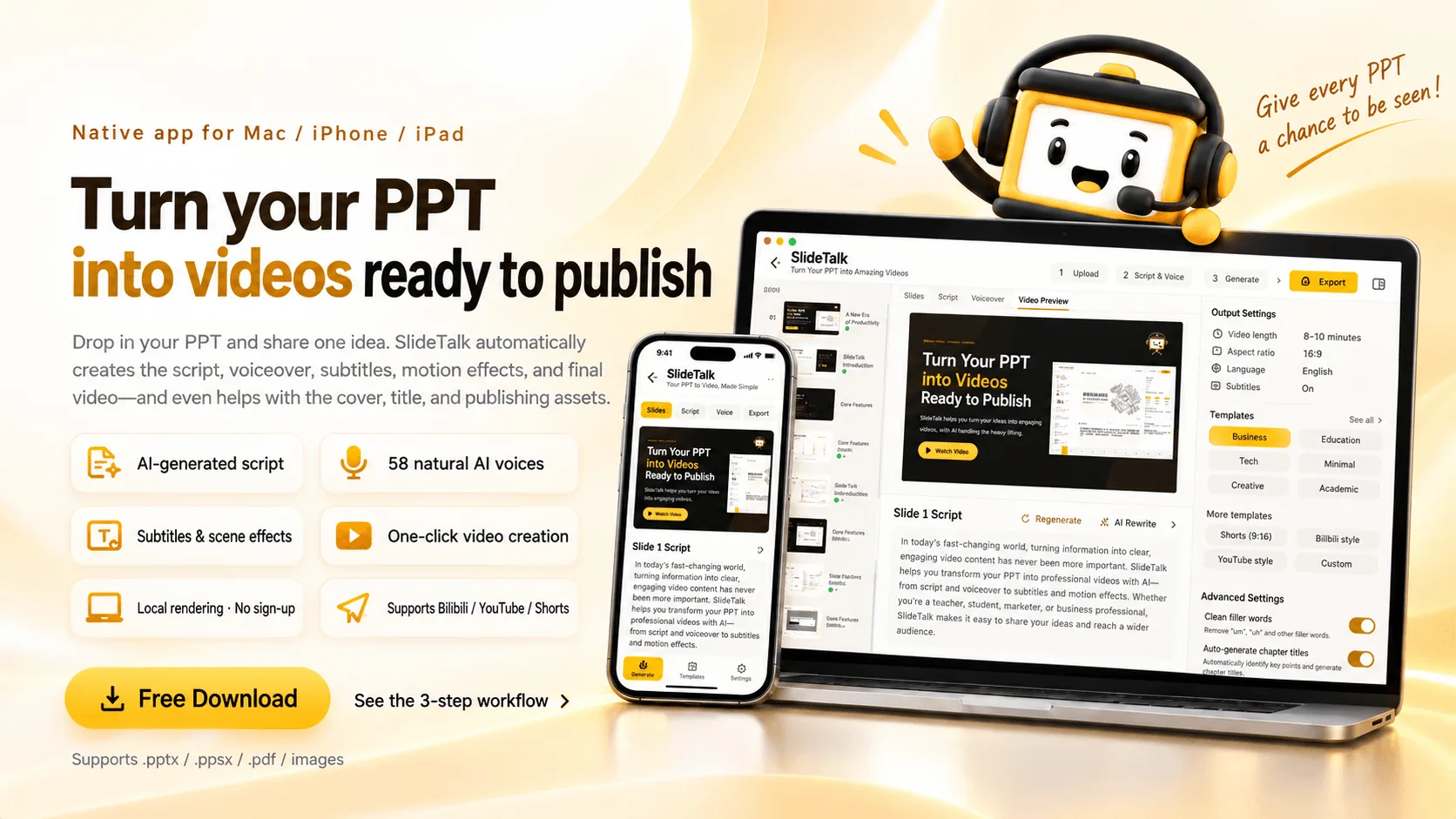
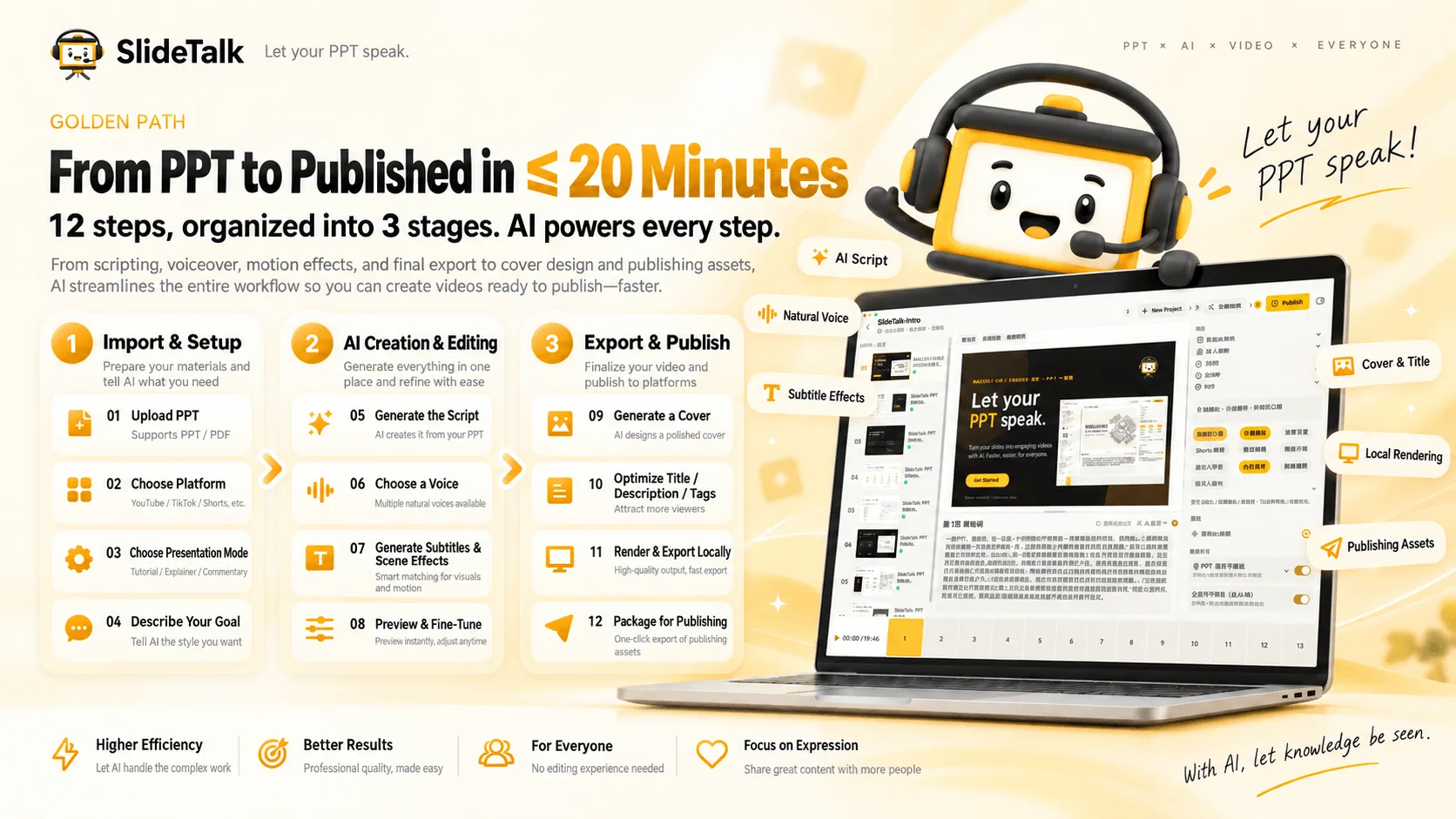
SlideTalk turns PPT and PDF decks into publish-ready videos: AI writes the narration page by page, 58 voices read it, subtitles and six scene animations align automatically, and rendering happens on-device up to 4K — with cover, title, description, tags and chapter timestamps generated in the same pass. One universal app for Mac, iPhone and iPad; no sign-up, 600 welcome credits.
SlideTalk is an Apple-native PPT-to-video app for educators, knowledge creators and corporate training teams. Drop in a .pptx or .pdf and AI writes the narration slide by slide, voices it in 58 natural voices, aligns subtitles and scene animations, and renders locally with AVFoundation at up to 4K — then generates the cover, title candidates, description, tags and chapter timestamps. One universal app runs on Mac, iPhone and iPad, available on the App Store in worldwide. An anonymous Apple account means no sign-up; 600 credits are granted on first launch, AI generation is metered, and editing, rendering and export are free.
Visual assets
Download for coverage, reviews and tool directories.

Brand rules
- Write the name as "SlideTalk" (or "PPT讲解员" in Chinese); first mention can be "SlideTalk (PPT讲解员)"
- Don't stretch, recolor or outline the icon; keep screenshots unaltered
- When citing numbers, credit "SlideTalk official data, October 2026"
Press contact
For interviews, review builds or fact-checks, email us — usually answered within one business day.
slidetalk@163.comNeed a review build or an interview?
Tell us the outlet and the angle; we'll send TestFlight access or a promo code plus citable data.
Download free