
One person, one video pipeline: how I cut 8 hours down to 45 minutes
2026-10-27 · 10 min read
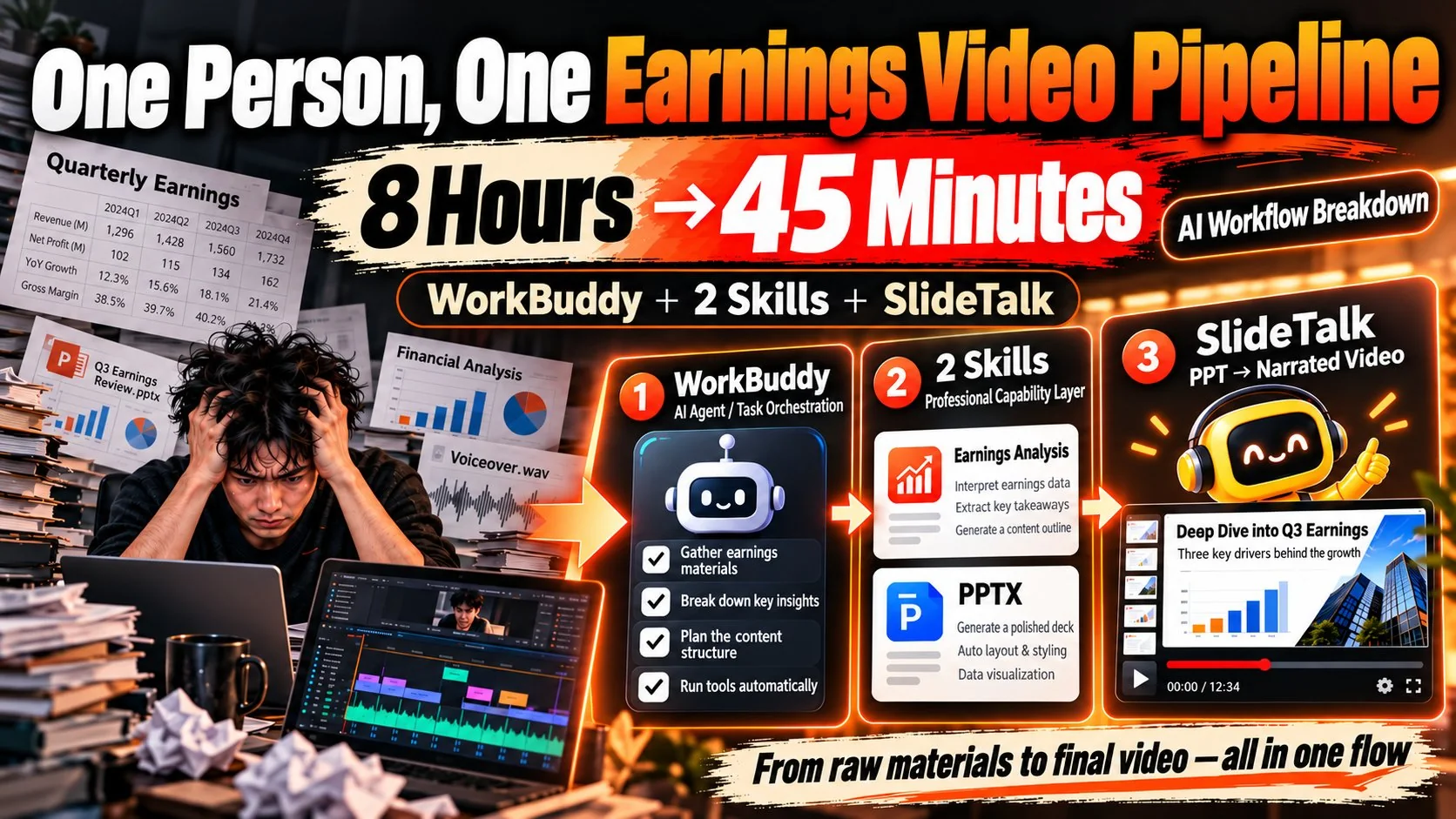
A 10-minute earnings video went from 8 hours to 45 minutes: an agent orchestrates, two skills hold the standards, and SlideTalk turns the deck plus script into a publish-ready video. The method ports to any topic that is structured, dense and sourced — swap the three mandatory questions and keep the other three layers.
Timings and costs are the author's own measurements in October 2026 on the same 10-slide earnings video; the 45 minutes excludes topic selection and final review. Credits and prices follow what the app actually charges.
I make earnings videos. A 10-minute episode used to take 8 hours, and half of that was rework: the script drifted and got rewritten, a fluffed line meant recording again, the captions drifted out of sync and the whole cut was redone.
It takes 45 minutes now. Not because my hands got faster — because four jobs on this pipeline changed hands. Below is each layer, including what it does not fix. A tutorial that only lists what works is an ad.
The example is earnings, but the reader I am writing for is anyone who has thought about starting a channel: law, medicine, fitness, hardware reviews, career advice. The structure is the same; one table changes.
The honest before-and-after
Here is where the 8 hours went: 90 minutes finding data, 2 hours reading the statements, 2 hours building the deck, 2.5 hours recording and editing.
Half of it was rework. Less than four hours produced anything a viewer would see; the rest was paying for one wrong sentence.
| Step | Before | Now | Who does it |
|---|---|---|---|
| Find data, verify sources | 90 min | 5 min | Agent + earnings-analysis skill |
| Read statements, write conclusions | 120 min | 15 min | Earnings-analysis skill |
| Lay out the deck | 120 min | 10 min | PPTX skill |
| Voice, captions, editing | 150 min | 15 min | SlideTalk |
| Total | 480 min | 45 min | — |
One person's measurements on the same 10-slide earnings video. The 45 minutes excludes topic selection and final review; with those, real input is about 1.5 hours.
The only thing I changed: from doing it to approving it
I did not learn to edit, and I did not get faster at typing. I changed one thing — I stopped doing the work and started approving it. The split looks like this:
My worst mistake was treating AI as a faster pair of hands for typing. What worked was treating it as a colleague who has to deliver: give it the standard, a sample, and the acceptance criteria. The same sentence produces a draft in the first case and something publishable in the second.
- Then: find data, read statements, build the deck, record, edit, write the title, design the cover — four jobs, one person
- Now: pick the topic, set the frame, check whether the conclusion holds, rewrite the two sentences that matter, sign off
Three layers: orchestration, method, delivery
People assume one AI does all of this. It does not. Three layers each own a slice, and none can substitute for another.
Layer one is the agent — WorkBuddy, in my case. It reads local files, runs code, calls tools and checks its own output. But it is a dispatcher, not a domain worker: it does not know how an earnings report should be read.
Layer two is the skill: the method written down as a reusable instruction pack. The earnings-analysis skill owns how to read; the PPTX skill owns how to lay out. Write it once, and every later run follows the same standard.
Layer three is the app, SlideTalk, which turns the deck and the script into a video you can publish.
Across the three, switching models is cheap and switching methods is expensive — which is why the middle layer is the valuable one. The method lives in your own skill, not inside any app, and that is why I am not afraid to change tools.
Layer one: four hard rules for reading an earnings report
A skill is a Markdown brief: what goes in, which basis to compute on, which questions must be answered, what the output looks like, and what counts as a failure. For earnings I nailed down four rules —
- Fixed basis: revenue, gross margin, operating cash flow, capex, inventory turns — aligned across eight quarters. With a shifting basis, year-over-year is simply wrong.
- Three mandatory questions: is the growth real, did the cash arrive, where is the gap to expectations. Skip one and the page is not finished.
- Sourcing rule: every figure carries a page number and a date. No source, no figure — it does not reach the script.
- Fixed output shape: one conclusion, three pieces of evidence, three risks. No free-form essays.
The point is not to make the model smarter; it is to make it do the same thing every time. The model can change. These four rules cannot.
Layer two: turning content into pages
The PPTX skill handles layout. Three things matter: it produces a genuinely editable .pptx, not stitched screenshots; it lays out by structure — conclusion, three statements, inflection, risk, valuation — skeleton first, content second, no template; and changing the layout is one sentence.
Three sentences I actually typed: "Turn the table on page 7 into a bar chart, vermilion palette." "Headline 32pt, body 12pt, 0.8-inch margins." "Split page 3 into two, one conclusion each."
Notice that all three describe an outcome, not a sequence of clicks. Talk to the model in results, not steps. It does not know your field, but it is extremely obedient — so what you say matters more than which tool you say it to.
Layer three: from deck and script to something publishable
Layer three is the only part I do not touch. SlideTalk is not just PPT-to-video; what it hands back is the whole publishing kit — script, voice, captions and motion, the finished cut, plus cover, title options, description, tags and chapter timestamps.
Three things I care about: native on Apple hardware, one app across Mac, iPhone and iPad; local rendering, so the video is composited on your own machine and nothing leaves the device or waits in a queue; no sign-up, an anonymous account works immediately with 600 credits on first launch.
Drop the deck and the script in, say one line — "explain it to earnings readers, 8 minutes, two-host interview" — and it finishes the rest. I do one thing: listen once, change two sentences, the opening hook and the closing takeaway.
The full import-to-publish walkthrough is in the tutorial; how credits are charged is on the pricing page.
What the time saving actually buys you
Do the arithmetic: 90 to 5, 120 to 15, 120 to 10, 150 to 15. 480 minutes becomes 45.
Cost matters more than minutes. A 10-slide video runs about $0.58 in AI credits, which puts the cost of a failed attempt near zero. When a dud costs almost nothing, you can post daily.
Four videos a week, zero on-camera time, still one person. But the saving is not seven hours — it is the decision about whether to make today's video at all.
Why earnings suits this pipeline — and what to change for yours
Not every topic fits. Earnings does, for three reasons: it is structured (three statements, YoY and QoQ, guidance — pagination is built in), dense (one conclusion per page, ten pages is 8–12 minutes), and sourced (every figure has a citation, so the viewer does not need to trust you, only to check you).
Swap the topic and the pipeline still runs. The only thing you rewrite is the table below — the three mandatory questions inside the skill:
| Topic | Structural skeleton | Three mandatory questions (in the skill) |
|---|---|---|
| Earnings | Statements + YoY/QoQ + guidance | Is growth real / did cash arrive / where is the expectation gap |
| Law | Statute + elements + case law | What are the elements / where is the proof / what does losing look like |
| Health & fitness | Mechanism + evidence grade + protocol | What is the mechanism / how strong is the evidence / who should not do this |
| Tech reviews | Specs + measured tests + verdict | Where do they differ / what did you measure / who should buy |
| Career & courses | Problem + method + case | How is the problem defined / what are the steps / where does it fail in practice |
The skeleton decides pagination; the three questions decide what counts as a failure. Fix those two and layout plus rendering are automatic.
If you want to copy this, start at layer three
Copy it backwards. The two skill layers you have to write yourself — you need to know your own basis and standards first. Layer three already exists, so use it now and backfill the method later.
Three steps: drag the deck in, say one sentence, export. The sentence can be vague, e.g. "for earnings readers, 8 minutes, two-host interview".
Three numbers on cost: the download is free; editing, previewing voices, rendering and export are free forever; 600 credits on sign-up is about one and a half videos; a 10-slide video is roughly $0.58. First top-up doubles credits and removes the watermark permanently. No subscription, no API key, credits never expire.
For the wider playbook, see the faceless knowledge channel page and how to make knowledge videos without showing your face; if you teach, the course-deck-to-lecture flow drops straight in.